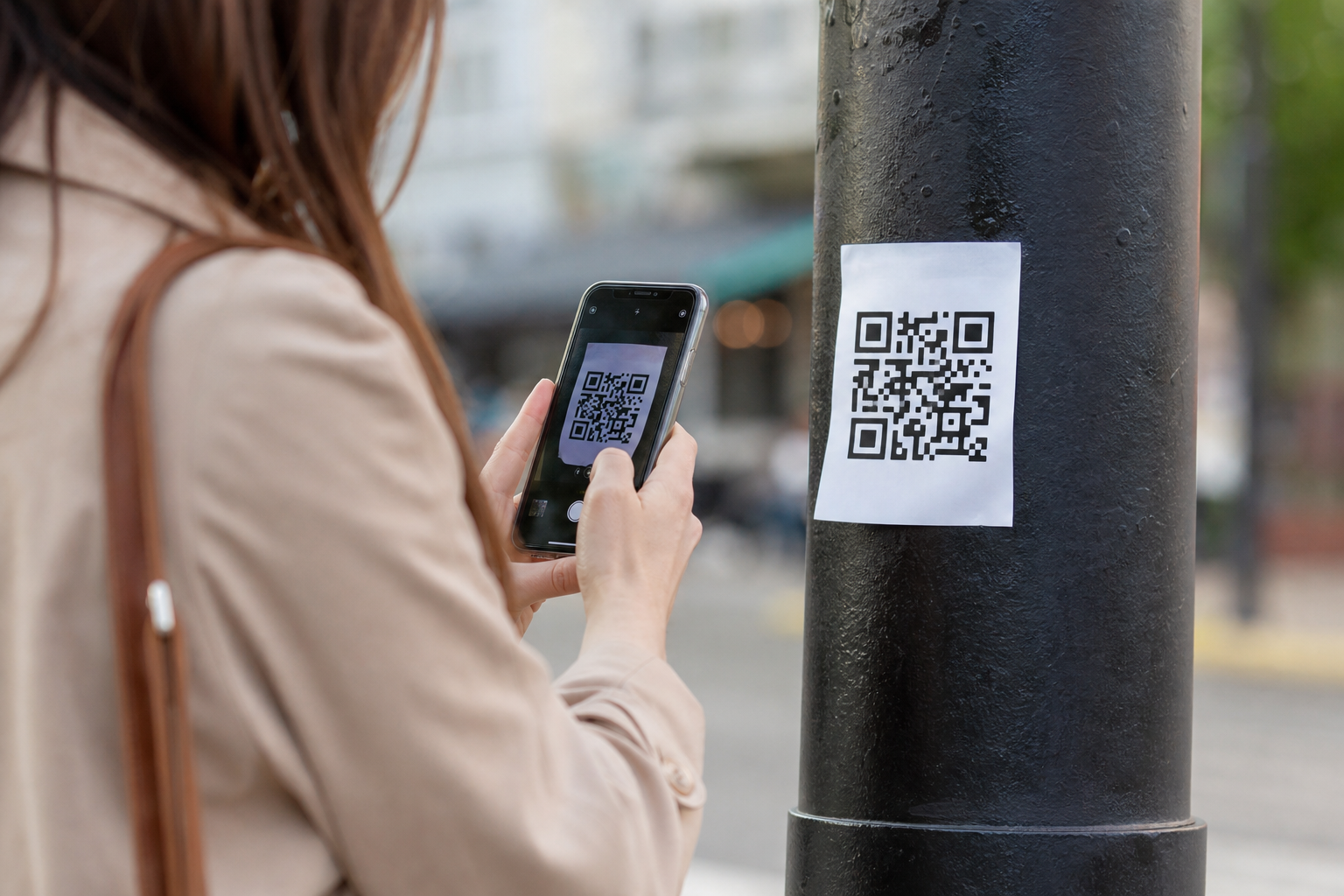

Quick Response (QR) codes have become an essential part of modern business operations in the UK. From digital menus in London cafes to payment portals in industrial warehouses, these scannable squares bridge the gap between physical spaces and digital services. However, this convenience has opened a door for cybercriminals. "Quishing"—a portmanteau of QR phishing—is on the rise, targeting both employees and business owners. Understanding how to recognise a fake QR code scam is no longer just a technical skill; it is a fundamental requirement for corporate security.
The Mechanics of a QR Code Attack
To protect your business, you must first understand how these attacks function. A QR code is essentially a visual representation of a URL. When a user scans the code with a smartphone camera, the device interprets the pattern and directs the browser to a specific web address. The danger lies in the fact that a human cannot "read" a QR code to verify the destination before the phone processes it.
Fraudsters exploit this invisibility by placing malicious codes over legitimate ones. This is often done via physical stickers placed on parking meters, public transport hubs, or even within corporate office lobbies. Once scanned, the user is redirected to a spoofed website that looks identical to a trusted banking portal or a corporate login page. The goal is typically to steal login credentials, capture credit card details, or trick the user into downloading malware onto a company device.
How to Recognise a Fake QR Code Scam in the Wild
Identifying a fraudulent code requires a combination of physical inspection and digital vigilance. Because the technology is designed to be seamless, the red flags are often subtle.
Physical Red Flags
The most common method of deployment for these scams is the "overlay." Attackers print a malicious QR code on a sticker and paste it directly over a genuine one. If you are in a public or semi-public business environment, take a moment to inspect the surface of the code.
- Texture and Edges: Feel the QR code. If it feels like a sticker or has peeling edges, it is likely a fake.
- Alignment Issues: Look for misalignment. If the code is slightly crooked or doesn't align perfectly with the surrounding printed signage, treat it with suspicion.
- Poor Print Quality: Legitimate corporate signage is usually professionally printed. Blurry edges or low-resolution pixels in the QR pattern can indicate a rushed, fraudulent replacement.
Digital Warning Signs
Once you scan a code, your phone usually provides a preview of the URL. This is the most critical moment for detection. A fake QR code scam often uses "URL shorteners" or slightly misspelled domains to hide the true destination. For example, instead of yourbank.co.uk, the link might lead to yourbank-secure-login.net.
Always check for the "https://" prefix and the padlock icon in the browser address bar. While many phishing sites now use SSL certificates to appear secure, the absence of one is an immediate red flag. Furthermore, if the landing page asks for sensitive information—such as a password or a National Insurance number—immediately after scanning a public code, close the tab.
Protecting Your Business Infrastructure
For B2B organisations, the risk extends beyond individual employees. If a client scans a fraudulent code that was placed on your company's physical assets, it damages your brand reputation and trust. Implementing a corporate policy on QR code usage is essential for maintaining a secure environment.
Employee Training and Awareness
The human element is often the weakest link in cybersecurity. Staff should be trained to avoid scanning QR codes from unsolicited emails or unknown physical sources. Encourage a culture of "verify then trust." If an employee receives an email claiming they must scan a code to update their payroll details, they should be instructed to contact the HR department via a known phone number instead of interacting with the code.
Technical Safeguards
Businesses can implement technical layers to mitigate the risk of quishing. Using a secure mobile browser or a dedicated QR scanner app that previews the full URL before opening it can prevent accidental redirects. Additionally, ensuring that all company devices have updated endpoint protection software can help detect and block known malicious domains if a user does accidentally click through.
When managing your own outward-facing codes, use dynamic QR codes. These allow you to change the destination URL without replacing the physical print. More importantly, they often provide analytics that can help you spot unusual traffic patterns, which might indicate that your code has been tampered with or is being used in a way you didn't intend.
The Broader Impact of Quishing on B2B Relations
In a professional context, the fallout from a security breach is rarely limited to a single computer. A successful attack can lead to data breaches that violate GDPR regulations, resulting in heavy fines and legal complications. When a business partner's credentials are stolen via a fake QR code, the attacker may gain access to shared portals, invoices, and sensitive project documentation.
This is why it is vital to integrate the knowledge of how to recognise a fake QR code scam into your broader risk management strategy. Security is a shared responsibility. By educating your partners and clients about the risks of scanning unverified codes, you position your business as a security-conscious leader in your industry.
Frequently Asked Questions
Can a QR code install malware without me clicking anything?
While simply scanning a code usually only opens a link, some sophisticated attacks can trigger automatic downloads if the mobile browser has certain vulnerabilities. However, most scams require the user to interact with the landing page or grant permission to download a file before malware is installed.
Why do scammers use QR codes instead of standard phishing emails?
QR codes bypass many traditional email security filters because the malicious link is embedded in an image rather than a text-based URL. This makes it harder for automated corporate scanners to detect the threat before it reaches the end user's device.
Is it safe to scan QR codes in a professional office environment?
Generally, yes, but you should remain cautious. If a code appears on a communal notice board or a shared piece of equipment, verify that it was placed there by an authorised member of staff before scanning it.
How can I tell if a QR code link is a shortened URL?
Shortened URLs usually use domains like bit.ly, t.co, or tinyurl.com. While these are common in legitimate marketing, they are also used by scammers to hide the final destination. Use a URL expander tool to see the actual address.
What should I do if I have accidentally scanned a fake QR code?
Immediately close the browser tab and do not enter any personal or corporate data. If you provided a password, change it across all accounts immediately and notify your IT security department to scan your device for potential malware.