
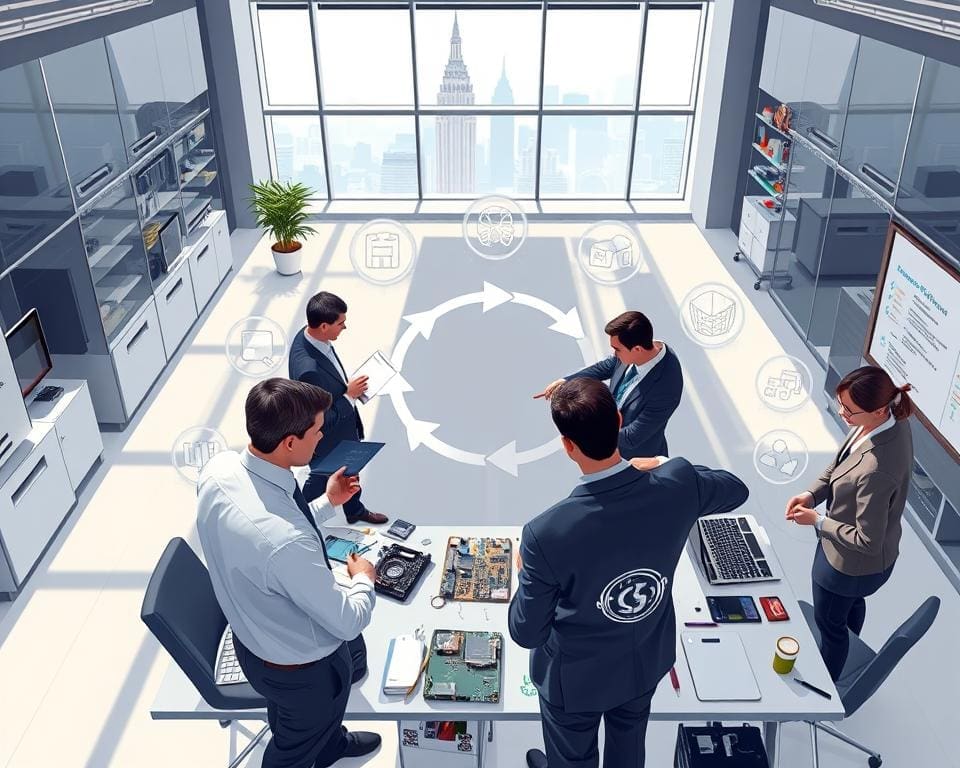
Hardware lifecycle management begins with a clear lifecycle strategy that links procurement to disposal. In the UK, this approach helps teams control IT asset lifecycle costs, meet WEEE obligations and maintain security while supporting business continuity.
Organisations that ask “How is hardware lifecycle managed?” focus on measurable outcomes. They track total cost of ownership, uptime and compliance, and align stakeholders from procurement and finance to IT operations and sustainability officers.
This article takes a practical, product‑review style view of hardware lifecycle management. It examines procurement choices with vendors such as Dell, HPE, Lenovo, Cisco and IBM, then moves through deployment, maintenance, refresh planning and responsible decommissioning.
Readers will gain a concise framework for measuring lifecycle performance, a lifecycle strategy tuned to UK regulation, and pragmatic steps to reduce cost, risk and environmental impact across the IT asset lifecycle.
How is hardware lifecycle managed?
Managing hardware from purchase to disposal demands a clear framework. Organisations in the United Kingdom should map lifecycle stages against business priorities to keep systems reliable, secure and cost-effective.
The first step is to define the hardware lifecycle stages. This includes planning and requirements, procurement, deployment and configuration, operation and maintenance, refresh and upgrade, plus decommissioning and disposal. Planning aligns specifications with business needs and vendor roadmaps from Intel, AMD and Cisco help future‑proof purchases.
Procurement covers vendor selection, contract negotiation and a careful evaluation of total cost of ownership. Working with certified partners such as Cisco Gold Partners or Dell Platinum partners can improve support and service levels. Deployment focuses on standardised imaging, secure baselines and asset tagging so teams can respond quickly to incidents.
Operation and maintenance keep devices healthy through patching, monitoring and warranty management. Tools like Microsoft Endpoint Manager, SolarWinds, Datadog and Splunk support proactive care and reduce unplanned downtime. Refresh cycles respond to performance drift and end‑of‑support notices from vendors such as Microsoft and Red Hat.
Decommissioning protects data and the environment with secure sanitisation, resale or recycling in line with UK WEEE regulations. Refurbishment and supplier take‑back schemes extend asset life and support corporate sustainability goals.
Next, set clear lifecycle objectives to guide decisions. Primary aims include maximising uptime, reducing unplanned downtime and meeting business SLAs. Cost optimisation is vital, with predictable capital and operational spend.
Security and compliance should be core lifecycle objectives. Timely patching, vulnerability remediation and secure disposal reduce risk. Extending asset value through refurbishment and resale supports financial and environmental aims.
Measure performance with defined lifecycle KPIs that reflect operational reality. Track availability, mean time between failures and mean time to repair to understand resilience. Monitor TCO, cost per device per month and asset utilisation to control spend.
Include asset lifecycle metrics such as patch compliance percentage, time to remediate vulnerabilities and warranty coverage ratio. ITAM metrics should report SLA adherence, incident resolution times and the share of assets recycled, resold or refurbished to demonstrate sustainability impact.
- Planning and requirements: align specs with business roadmaps.
- Procurement: select vendors and evaluate TCO.
- Deployment: image, secure and tag assets.
- Operation: monitor, patch and manage warranties.
- Refresh: plan upgrades and end‑of‑support actions.
- Decommissioning: sanitise data and recycle responsibly.
Procurement strategies for optimised hardware investment
Effective procurement strategies set the tone for hardware success. A clear approach reduces risk, controls costs and supports business agility. Start with defined goals, procurement policies and a shortlist of trusted suppliers.
Vendor selection and contract negotiation
Choose vendors on reliability, support footprint and certified service levels. Consider Dell Technologies, Hewlett Packard Enterprise, Lenovo, Cisco and Apple for general device needs. For specialised storage and networking, evaluate NetApp and Pure Storage.
Negotiate crystal‑clear SLAs that cover response times, escalation paths and spare‑parts policies. Include clauses for firmware and BIOS updates, end‑of‑service notices and buyback or asset recovery options. Use Crown Commercial Service frameworks where public sector rules apply to streamline hardware procurement UK.
Evaluating total cost of ownership (TCO)
When you evaluate TCO, include purchase price, deployment labour, software licences, energy, maintenance and disposal fees. Factor in downtime costs, insurance and spare parts to get a full picture.
Use lifecycle cost modelling tools and vendor calculators but validate assumptions on energy rates and failure rates. Benchmark against peers and industry standards to set realistic lifecycle expectations for desktops and servers.
Lease versus buy considerations
Decide between ownership and flexibility by weighing lease vs buy hardware options. Buying gives ownership and potential resale value. Leasing converts capital expenditure into operating expenditure and simplifies budgeting.
Explore HPE GreenLake, Dell APEX or Lenovo TruScale for managed consumption models. Assess tax and accounting effects in the UK. A hybrid approach often works best: buy core infrastructure and lease edge or user devices to keep refresh cycles flexible.
Deployment and configuration best practices for reliability
Reliable roll-outs start with clear processes that teams can repeat. Focusing on deployment best practices reduces mistakes, speeds delivery and protects users. Practical standards help teams move from one-off installs to predictable, scalable operations.
Standardised imaging and provisioning
Adopt golden images and automated provisioning with tools such as Microsoft Endpoint Manager, SCCM, Jamf or Ansible. Use standardised imaging to ensure every device has approved drivers, security updates and monitoring agents before it reaches a user.
Use Infrastructure as Code and configuration management solutions like Puppet, Chef or Ansible for servers and network kit. This approach enforces consistency, makes rollbacks simple and supports zero‑touch provisioning at scale.
Validate each image for performance and compatibility. Maintain versioning, test rollback plans and include post‑deployment scripts to register devices with asset inventories.
Security hardening and baseline configurations
Apply CIS Benchmarks and NCSC guidance when creating baselines. Security hardening should cover secure boot, disk encryption such as BitLocker or FileVault, TPM usage and endpoint detection tools like CrowdStrike or Microsoft Defender for Endpoint.
Enforce least privilege on accounts and automate patch management alongside vulnerability scanning with tools such as Qualys or Nessus. Keep secure baselines in a central repository and monitor configuration drift with Chef InSpec or OpenSCAP.
Make baseline checks part of deployment pipelines so new hardware ships compliant from first boot and remains covered by ongoing policy checks.
Asset tagging and documentation procedures
Tag assets physically and digitally using barcodes, RFID or unique IDs. Record each item in an ITAM system such as ServiceNow, Ivanti or Lansweeper to link hardware, warranties and ownership details.
Document serial numbers, procurement contracts, installed licences and maintenance history. Good documentation supports rapid incident response, audit trails and feeding data into refresh planning.
Implement strict change control and configuration management logs to capture alterations and enable quick rollback. Accurate records make audits simpler and keep lifecycle decisions evidence‑based.
Maintenance, support and proactive monitoring
A well‑run estate depends on disciplined maintenance and support that keep systems healthy and predictable. Small, regular actions reduce risk and let teams focus on innovation rather than firefighting. The guidance below shows practical steps to protect uptime and plan for failures.
Scheduled maintenance and patch management
Plan scheduled maintenance windows to match business cycles. Prioritise critical updates and move non‑urgent work to off‑peak hours to avoid disruption.
Use a staged patch management approach: test updates in a lab, pilot on a subset of devices, then deploy across the estate. Automation through Microsoft Endpoint Manager, WSUS, Red Hat Satellite or Canonical Landscape speeds safe rollouts and improves consistency.
Track patch compliance, mean time to patch and exceptions for legacy systems. Keep clear remediation plans for unsupported hardware.
Remote monitoring and predictive analytics
Deploy monitoring stacks such as Prometheus with Grafana, Datadog, Splunk or SolarWinds to collect telemetry on temperatures, fan speeds, SMART metrics and power draw. These metrics feed alerts and runbooks that reduce mean time to repair.
Apply predictive analytics from vendors like HPE InfoSight or Dell EMC CloudIQ to detect early degradation and advise proactive replacements. Integrate remote monitoring with IT service management tools to create tickets automatically and keep lifecycle records current.
Automate safe remediation where possible, for example restarting services, and ensure human review for risky changes.
Managing warranties and support SLAs
Maintain a single authoritative inventory of warranty expiry dates and entitlements. Renew or extend cover proactively for critical systems to avoid gaps in support.
Use vendor portals such as Dell SupportAssist and HPE MySupport to manage cases and escalation contacts. Define internal response and resolution targets, then align vendor warranties SLAs to meet business needs and include penalties where appropriate.
Adopt a spare parts strategy that balances cost and availability: keep critical spares on site for high‑availability systems while using vendor next‑business‑day service for less critical assets.
Refresh, upgrade and scalability planning
Refreshing infrastructure invites opportunity. A clear hardware refresh planning process links technology choices to business outcomes. Start with a robust performance assessment that measures workloads, user experience and key performance indicators. Use synthetic tests, application monitoring and staff feedback to form a baseline.
Map assets by criticality: core datacentre systems, essential workstations and peripheral devices. Factor vendor lifecycles from Intel, AMD and NVIDIA alongside software end‑of‑support dates from Microsoft and Red Hat when you set an upgrade strategy. Include energy efficiency and operating cost savings when comparing options.
Phased refresh reduces risk and disruption. Begin with pilot groups or high‑availability clusters before scaling to the wider estate. Plan rolling updates, fallback options and parallel runs to avoid single points of failure. Communicate timetables to stakeholders and offer training to smooth adoption.
Use vendor migration services from Microsoft, AWS Outposts partners or HPE where those options speed transition. Test migrations with compatibility checks and staged data moves. Keep clear rollback plans to protect operations while you validate changes.
Scalability planning should embrace abstraction. Virtualisation, containerisation and hybrid cloud let you decouple workloads from physical hardware. Design for interoperability by testing network, storage and application interactions between new and legacy systems.
Maintain API and protocol compliance and bring in middleware when necessary to bridge differences. Address licence transfers, secure data migration and exit clauses in contracts to reduce vendor lock‑in risk as part of your upgrade strategy.
Final decisions must balance cost, continuity and capability. Treat refresh cycles as strategic investments that drive agility and resilience. A disciplined approach to hardware refresh planning, phased refresh rollouts and careful performance assessment will prepare your estate for future change.
Decommissioning, disposal and sustainability practices
Effective hardware decommissioning starts with clear objectives: protect data, reclaim value and meet legal and environmental duties. Align policies with UK WEEE compliance and UK GDPR so your organisation avoids fines and reduces harm. A tight process also supports corporate sustainability goals by lowering waste and encouraging refurbishment where feasible.
Secure disposal is non‑negotiable. Use certified data erasure methods such as NIST SP 800‑88 or, for media that cannot be sanitised, physical destruction. Maintain chain‑of‑custody records and obtain certificates of data destruction from accredited IT asset disposal (ITAD) providers like Restore Technology or Sims Recycling Solutions. Make wipes auditable and link them to your asset inventory to show a clear lifecycle trail.
Evaluate reuse, resale and refurbishment pathways before recycling. Vendors such as Dell, HPE and Lenovo offer trade‑in and buyback programmes that can recover cost and extend device life. Redeployment into low‑demand roles or certified refurbishment reduces carbon output and supports circular economy aims while guarding against data risks with proven ITAD processes.
When recycling is necessary, choose WEEE‑registered facilities and keep disposal certificates to demonstrate compliance. Track metrics — percentage reused, recycled or recovered, CO2‑equivalent reductions and revenue from resale — and include them in sustainability reporting using standards like the Greenhouse Gas Protocol. For practical guidance on securing devices through their lifecycle, see this best practices resource on device security and lifecycle management.