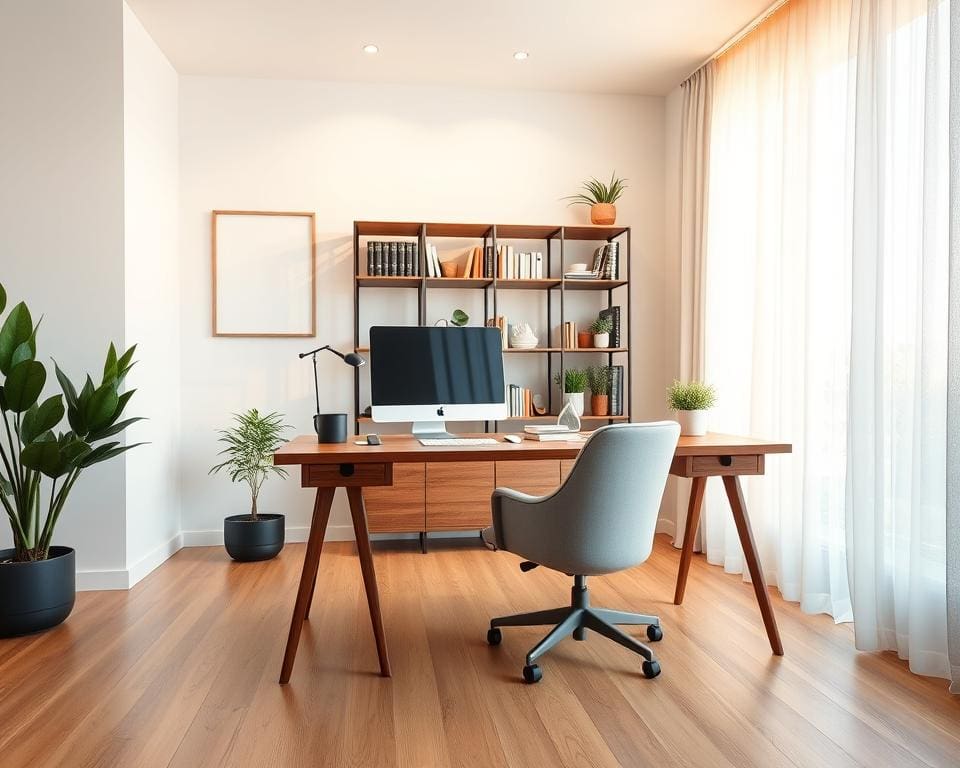

Creating a stylish home office starts with a clear purpose. Decide how your home workspace will be used: video calls, creative projects, paperwork or a combination. That will shape choices about layout, storage and lighting for a remote work setup that feels both practical and inviting.
Begin by measuring the room and noting window positions. List essentials — a desk, ergonomic chair, storage and good lighting — and set a budget band: basic (IKEA), mid-range (John Lewis & Partners) or premium (specialist retailers and bespoke makers). These steps make home office design UK projects quicker and less stressful.
Consider key planning factors: available space, natural light, the nature of your work, storage needs and whether the room doubles as a guest room or dining area. A well-styled space boosts your mood and focus, and it also looks professional on calls.
Follow this guide for practical advice on furniture, organisation and décor. Expect better posture, less clutter and an efficient layout that supports daily routines and improves how your remote work setup performs.
For quick inspiration and a detailed checklist to get started, visit a useful resource on creating a perfect home office workspace at home office design ideas.
Designing a stylish home office layout for productivity
Start by thinking about how your room will work for daily tasks and meetings. A considered office layout sets the tone for focus, creativity and professional calls. Below are practical steps to assess space, place furniture and build distinct areas without losing style.
Assessing your available space and natural light
Measure floor area, ceiling height and window dimensions before you buy anything. Note the direction windows face since south-facing rooms tend to receive stronger daylight in many UK homes while north-facing rooms give steadier, softer light.
Think about glare and reflections for screens; position monitors perpendicular to windows where possible. Consider blinds from Luxaflex or curtains from Dunelm to control light while keeping a stylish finish.
Listen for noise from the street or other rooms and plan simple acoustic fixes. Rugs, thick curtains and bookcases absorb sound without changing your aesthetic.
Choosing the right desk placement and traffic flow
Place the desk so you can see the door when you sit, which helps you stay comfortable and less distracted. Choose a tidy background for video calls to project a professional image.
Keep clearances of about 90–120 cm behind the chair so you can move freely. Check pathways to doors and storage to preserve easy traffic flow.
In compact rooms a floating desk or corner desk expands usable area. Use furniture as subtle dividers to separate functions without walls.
Creating distinct zones: work, meeting and relaxation
Define home office zones visually with rugs, shelving or the orientation of furniture. A primary work area handles focused tasks.
Set a small meeting zone with a compact table and two chairs for collaboration. Place seating so it sits just out of the main camera view but remains handy for calls.
Add a relaxation corner with a comfortable armchair for breaks. Use modular or wheeled furniture to reconfigure zones quickly as needs change.
Maximising storage without cluttering the aesthetic
Prioritise vertical storage so the floor stays clear. Wall shelving and tall cabinets hold books and display items while closed units hide paperwork.
Use slimline filing cabinets, under-desk drawers or Bisley-style solutions to keep essentials near hand. Label baskets and organisers to maintain order.
Choose desks with built-in drawers or benches with lift-up lids to integrate storage into furniture. This preserves a streamlined look while offering practical storage solutions.
Key furniture and ergonomic choices to support comfort
Choose furniture that supports long hours and looks good in your home. Focus on pieces that adjust to your body, store items out of sight and keep cables tidy. Small changes to chair, desk and storage choices make a big difference to comfort and productivity.
Selecting an ergonomic chair that complements your style
Prioritise lumbar support, adjustable seat height and armrests so you can sit with your feet flat and shoulders relaxed. Try models from Herman Miller or Steelcase if you want premium options, or test IKEA MARKUS and Marks & Spencer for budget-friendly alternatives.
Check the return policy and warranty before buying. Choose a fabric or leather finish that matches your décor and is easy to clean. A well-chosen ergonomic chair reduces strain and lifts the overall look of the room.
Desk types and heights for standing and seated work
Pick a desk that suits your main tasks. For seated work aim for a surface height near 70–75 cm. If you want movement during the day, choose an electric standing desk with smooth adjustment so you can switch positions quickly.
Measure your elbow height for a correct standing desk setting. Consider timber for warmth or laminate for low maintenance. Brands such as Fully, Flexispot and IKEA’s BEKANT cover a range of budgets and styles.
Storage solutions: shelving, filing and hidden storage
Combine open shelving for books and displays with closed cabinets for paperwork. Wall-mounted shelves save floor space and create a curated look.
Use lateral filing for broad storage and vertical filing where space is tight. Lockable units keep confidential documents secure. Hidden storage like built-in benches or desks with concealed compartments keeps clutter out of sight.
Investing in quality tech accessories and cable management
Choose reliable tech accessories that raise efficiency. A good monitor, ergonomic keyboard and mouse, laptop stand and a clear webcam and microphone improve comfort and call quality.
Plan cable management early. Use trays, clips and sleeves to route wires and a single surge-protected power strip to reduce hazards. Label cables and consider a UPS for critical work to protect against outages.
Styling tips and decor ideas to elevate your workspace
You can lift your workspace with a few thoughtful choices that balance function and taste. Start with a clear brief for how the room will be used, then layer colour, texture and lighting to suit work rhythms and video-call backdrops.
Choosing a cohesive colour palette and textures
Pick a neutral base such as soft grey, warm white or taupe to keep the room calm. Add one or two accent colours like deep green, navy or muted terracotta to create focus without distraction.
Mix materials — wood, metal, ceramic and soft fabrics — so the space feels complete. Test swatches under different light to make sure the colour palette works at all times of day.
Use matt paint on walls to reduce glare on camera. Choose satin or eggshell for trim where durability matters.
Incorporating art, plants and personal touches
Display a small number of framed prints or original pieces to create an attractive background for video calls. Look to Tate Shop or Saatchi Art for distinctive UK-made prints if you want local character.
Introduce indoor plants such as ZZ plants, snake plants or pothos to improve air quality and soften the room. Place them in terracotta or ceramic pots that echo your chosen palette.
Keep personal items curated and minimal. A favourite book, a framed award or a tasteful memento gives warmth without clutter.
Lighting strategies: ambient, task and accent lighting
Layer your lighting for flexibility. Use an ambient ceiling fitting for general illumination, a flexible desk lamp for focused work and small accent lights to highlight art or shelving.
Choose bulbs by colour temperature: 2700–3000K for a warm feel, 3500–4100K for a neutral daylight tone suited to focused tasks. Aim for task lighting around 500 lux at the desk surface.
Consider dimmable fittings and smart bulbs such as Philips Hue or IKEA TRÅDFRI to adjust office lighting for video calls and different times of day.
Textiles and accessories to add warmth and personality
Add a rug to define zones and reduce echo; select pile and pattern to suit traffic and your colour palette. Include cushions and a throw on seating for comfort and visual interest.
Choose workspace accessories that echo a consistent finish — brass, matte black or natural wood — to keep a cohesive look. Brands like Muji, Paperchase and Neptune offer refined pieces for UK homes.
Use stylish stationery, desk trays and minimalist organisers to keep surfaces tidy and attractive. Small, considered details lift the whole room.
Organisational habits and maintenance for a lasting home office
Start each day with a short 5–10 minute tidy-up to keep office organisation steady. Clear surfaces, file stray papers into an incoming tray or action tray, and switch off non-essential devices. Finish by writing a brief to-do list for tomorrow; this simple productivity habit closes your day and reduces morning friction.
Set a weekly routine for home office maintenance: empty bins, dust shelves, vacuum rugs and water plants. Use calendar reminders or habit apps to build consistency. For paperflow, digitise documents with Adobe Scan or a Fujitsu ScanSnap and adopt a consistent digital folder structure on Microsoft OneDrive, Google Drive or Dropbox to cut clutter and protect files with regular backups.
Carry out quarterly purges to shred or archive what you no longer need and recycle or donate unused items. Check ergonomics every three months — adjust chair settings, screen height and keyboard position, and tighten desk fittings. Keep tech hygiene up to date by updating operating systems and cleaning keyboards and screens to extend device life.
Plan for long-term care: budget for monitor and chair replacement cycles and let the room evolve with your work. Be mindful of UK-specific issues such as broadband reliability — consult Ofcom data — and confirm home insurance or landlord permissions before any structural changes. Use local council services for WEEE and furniture disposal to close the loop on responsible decluttering tips and office cleaning.