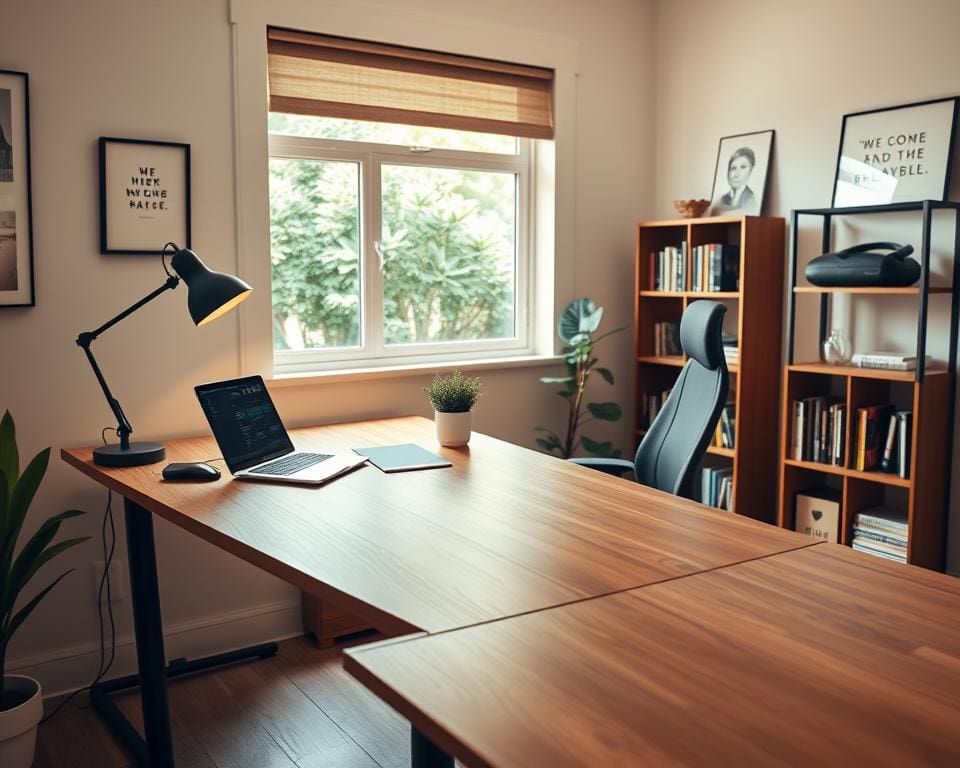

Designing a home office is about more than picking a desk. For many in the United Kingdom, a well-planned home working setup improves focus, supports wellbeing and boosts creativity.
This introduction explains practical steps to help professionals, freelancers and remote employees create a productive home workspace. It draws on guidance from the Health and Safety Executive on display screen equipment, lighting advice from CIBSE and consumer insight from retailers such as IKEA and John Lewis.
We will consider typical UK constraints like smaller rooms, conservation rules and seasonal daylight changes. The aim is to give clear actions so you can define needs, choose ergonomic furniture and refine lighting and ambience for an effective remote work office design.
How do you design a home office effectively?
Start with a focused home office needs assessment to match the room to your work. Note the tasks you do most: video calls, deep writing, design, meetings or hands-on craft. This quick audit guides decisions on space, acoustics and kit so you avoid overbuying or under-preparing.
Define your primary work activities
List core tasks and classify them by intensity and frequency. High-focus work needs quiet, low-distraction space. Collaborative or creative tasks need larger surfaces and room for materials. Match equipment to function: a graphics workstation for photo-editing, a quality webcam and microphone for frequent calls, sturdy worktops and tool storage for crafting.
Plan for change. Choose modular furniture, a convertible desk or flexible storage to scale as kit or hours grow. Use HSE guidance on display-screen equipment and consult retailers like Currys PC World or John Lewis for practical matches between tools and tasks.
Choose the right location in your home
Prioritise a quiet, well-ventilated spot with reliable broadband. Run a speed test in candidate rooms to confirm connection strength. Where possible, use a spare bedroom or study to reduce interruptions. If that is not available, carve out a dedicated corner with clear visual separation.
Consider daylight and glare. North-facing rooms give steady, diffuse light. South- or west-facing rooms deliver brighter daylight but may need blinds or curtains to control glare. Evaluate noise and privacy; rooms away from streets or family activity improve concentration. Simple acoustic fixes include rugs, curtains or bookshelves. Specialist panels from companies such as Auralex suit more demanding needs.
Make small-space solutions work in UK homes. Use alcoves, under-stair spaces or fitted furniture to get the best room. Floating desks and wall-mounted storage save floor area. Remember listed-property limits on drilling. Freestanding options protect period features while still giving a functional area. These home office location tips help you pick the best room for home office use and keep work efficient.
Set a clear boundary between work and home life
Create routines with fixed start and finish times, scheduled breaks and a simple ritual to mark transitions. Closing a door or changing into different clothes signals the shift from home to work and back again. Use physical cues like room dividers or a visible desk line to make separation visible in open-plan spaces.
Communicate expectations to household members and use visible signals, such as a closed door or a “do not disturb” cue, during focused periods. Use digital boundaries too: separate user profiles, dedicated work accounts and do-not-disturb modes to reduce spillover. Combine these measures with wellbeing habits: short movement breaks, ergonomic micro-breaks and access to natural light to lower fatigue.
Adopt basic home workspace zoning to separate tasks and preserve work-life boundaries. Clear zones for high-focus work, meetings and creative tasks keep your day organised and protect mental space. Small changes make a big difference to productivity and wellbeing at home.
Ergonomic setup and furniture choices to boost productivity
Creating an ergonomic home office starts with sensible furniture and a clear layout. Good choices ease strain, speed tasks and make long days feel shorter. Aim for comfort first, then refine for style and storage.
Selecting an ergonomic desk and chair
Pick a desk that fits your routine. Standard desks work for many people, but an adjustable desk UK model lets you switch between sitting and standing. Choose a surface that gives space for a laptop, a notebook and reference materials.
Look for chairs that offer adjustable lumbar support, seat depth and reliable tilt mechanisms. Test models at retailers such as John Lewis or DFS when you can. Trusted ergonomic brands like Herman Miller and Steelcase set high comfort standards and help identify the best office chair UK for long sessions.
Set seat height so feet rest flat on the floor and leave a two to four finger gap behind the knees. Use a footrest if required. Check that desk height allows elbows to sit at roughly 90–100 degrees while typing.
Monitor placement and peripheral layout
Follow simple monitor placement guidelines to protect your neck and eyes. Position the top of the screen at or just below eye level and keep the display about an arm’s length away, typically 50–70cm. For two screens, angle them inwards and centre the primary display.
If you use a laptop, add a stand and an external keyboard and mouse. Place the keyboard directly in front to keep wrists neutral. Consider an ergonomic keyboard or a vertical mouse for reduced strain.
Place webcams at eye level for natural sightlines. Choose external microphones or headsets from brands like Jabra or Logitech for clear audio on calls. Use blinds or anti-glare coatings and soft bias lighting behind screens to cut glare and eye fatigue.
Storage solutions and cable management
Adopt home office storage solutions that match how you work. Use open shelving for daily items and lockable drawers for confidential paperwork. Under-desk pedestals and filing cabinets keep A4 files organised in compact UK homes.
Vertical storage and modular units from IKEA or B&Q help free up desk space. Label zones for daily, weekly and archive items so you can find documents quickly and maintain a tidy workspace.
Use cable management ideas to reduce clutter and hazards. Fit under-desk trays, adhesive clips and raceways to guide cords. A surge-protected power strip with USB ports and a small docking station will centralise connections.
Set a simple maintenance routine. Wipe surfaces regularly, review cables for safety every few months and keep paper to a minimum with cloud storage and a straightforward scanning workflow.
Lighting, colour and ambience for focus and creativity
Start with natural light. Place the desk so daylight falls across the work surface, not directly onto screens, and use sheer curtains or venetian blinds to soften glare. Layered lighting complements daylight: a ceiling light for general brightness, a dedicated desk lamp with adjustable colour temperature for tasks, and subtle accent lights to highlight artwork or shelves. Tunable LED options such as Philips Hue or Dyson Lightcycle help shift from cooler daylight for focus to warmer tones for creative thinking.
Choose colours and materials that support mood and clarity. Blues and greens promote calm focus, while muted warm tones—soft ochre or warm grey—encourage imaginative thinking without dominating the room. Use accent items like cushions, a painted shelf or a single feature wall to introduce personality. Natural textures—wood, linen, wool—add warmth and help absorb sound, while matt, washable paints cut glare and stand up to daily use in high-traffic spots.
Control glare and reduce eye strain by placing monitors perpendicular to windows, using matt surfaces and anti-reflective screen protectors where needed. Aim for around 300–500 lux at work surfaces for general tasks and increase this for fine-detail work. For open-plan homes, add rugs, curtains or bookcases to dampen noise, and consider noise-cancelling headphones from Sony or Bose when concentration is vital.
Bring biophilic and smart elements into the design. Easy-care plants such as pothos, snake plant and ZZ plant lift air quality and mood. Smart lighting and thermostats can automate a daily rhythm—morning cool light for alertness, warmer scenes for late-afternoon creativity. Test layouts and lighting for a week, prioritise ergonomic essentials then layer ambient lighting ideas and decorative accents to complete a creative home workspace design that helps reduce eye strain and sustain productivity.